
The free office suite, no account, no subscription
Write, crunch numbers, make presentations and sign your PDFs on your Windows computer. Open the Word, Excel and PowerPoint files people send you, and nothing leaves your home.
- Free forever
- No account
- For Windows 10 and 11
Molino is for Windows 10 and 11 computers. Linux and Mac will come later. If you’re not at your computer right now, send yourself the link and download it there.
For everything you do every day
- Letters
- Invoices
- Requests
- Quotes
- Homework
- Contracts
- Household accounts
- Complaints
- Resumes
- Presentations
- Forms
- Reports
The four sails
One windmill, four sails
Each sail is an app. They install together, each with its own icon in the Start menu.
-
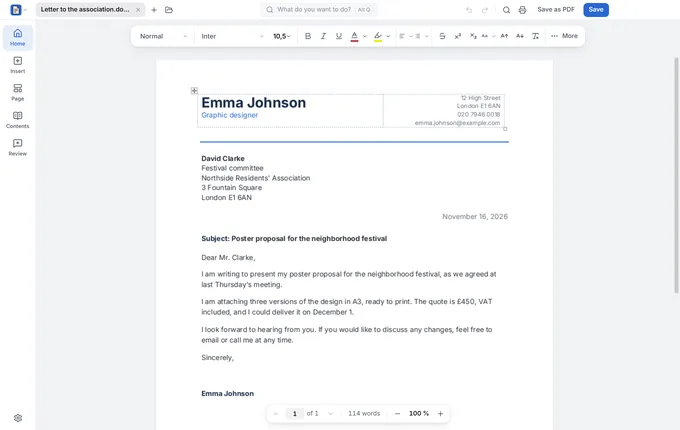
 Molino Docs
Write letters, essays and resumes, even when people send them to you in Word.
-
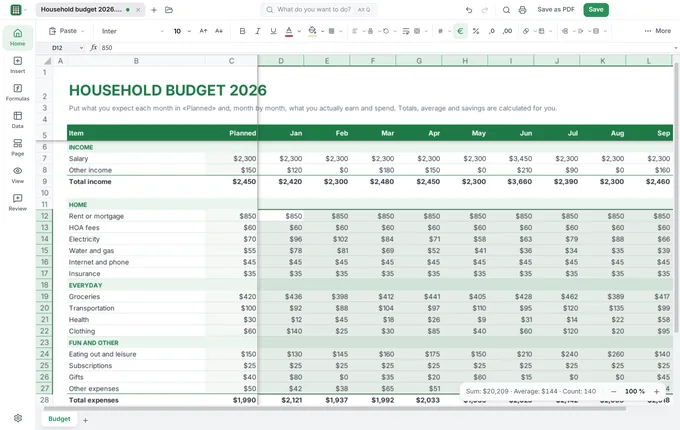
 Molino Sheets
Keep your household accounts, invoices and quotes, and the totals work themselves out.
-
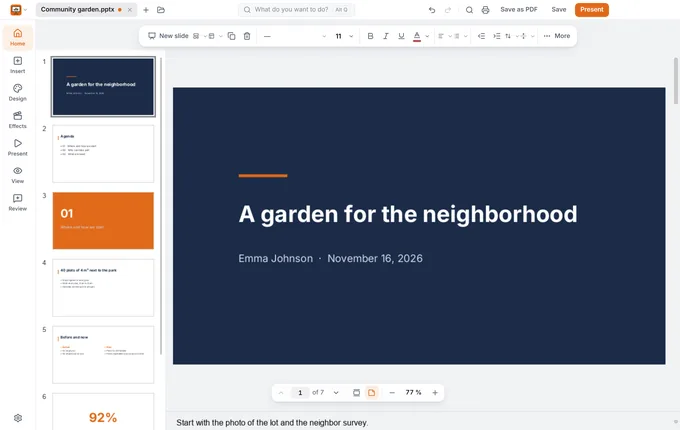
 Molino Slides
Prepare the class or work presentation, and give it with your notes in view.
-
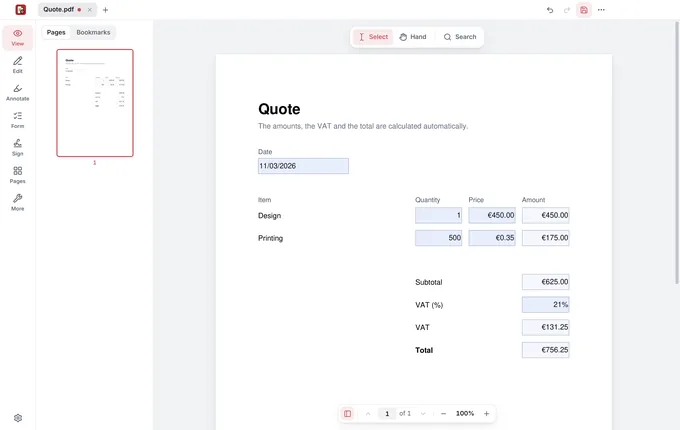
 Molino PDF
Fill in, sign with your certificate and organize the PDFs that come your way.
For everyday things
The usual stuff, without the hassle
Four moments that will probably sound familiar.
-
Docs and PDF
The request to the council
Write it from the template, sign it with your digital certificate, and Molino tells you whether it’s ready to submit online. Without leaving home.
With Molino Docs -
Sheets
The household accounts, or your freelance books
Note down what comes in and what goes out, and the monthly and quarterly totals work themselves out. Invoices, from their template.
With Molino Sheets -
Slides
The class presentation
Your slides on the projector; on your laptop, the next one, your notes in large type and the clock. Nothing slips by you.
With Molino Slides -
PDF
The contract someone sends you as a PDF
Open it, fill in your details, sign it with your certificate or by hand, and send it back. No printing, no scanning.
With Molino PDF
No catch
A windmill doesn’t need your data or your card
Free forever
No paid version, no trial periods, no ads. Not even if you use it at work.
No account
No email, no sign-up: install it and use it. Molino doesn’t know who you are or what you write.
Your files stay at home
Everything happens on your computer, even offline. Nothing goes up to anyone’s cloud.
So why is it free? Because Molino is made by an independent developer and it’s free software: anyone can see how it’s built. Giants live off subscriptions and what they know about you; a windmill only needs wind. If you find it useful, tell someone about it.
FAQ
What people usually ask before installing it
Does it open my Word, Excel and PowerPoint files?
Yes. Molino opens and saves the Word documents, Excel spreadsheets and PowerPoint presentations people send you, and the open formats too. You can keep swapping files with people who use other programs, and any of them saves as PDF in one click.
Is it really free? What’s the catch?
It’s free and there’s no catch: no paid version, no trial period, no ads and no watermarks on your documents. Molino is free software: it’s made by an independent developer and anyone can see how it’s built.
Is it safe? What about my files?
Yes. Molino is installed from the Microsoft Store, which reviews every version before publishing it. And your files stay on your computer: Molino doesn’t upload them anywhere, doesn’t ask for an account and doesn’t watch what you do. On top of that, every file opens safely tucked away, so a booby-trapped one can’t reach anything else.
Molino Suite or just Molino PDF?
If you want to write, crunch numbers and present, install Molino Suite: it comes with all four apps, Molino PDF included. If you only work with PDFs, Molino PDF installs on its own and takes up less space. Both are free.
How do I install it?
Click Download: on Windows, the Microsoft Store opens with Molino. Click Get and in a little while it’s in your Start menu. No account or special permissions needed, and new versions arrive on their own.
Not a giant. Your windmill.
Documents, accounts, presentations and PDF, free and on your computer. Install it from the Microsoft Store and open your first file.
Download Molino freeJust the PDF app? Download Molino PDF