
Presentations that look good, free and with no account
For class, work or getting an idea across. Open the PowerPoint files people send you and present them with your notes in view.
Molino Slides comes in Molino Suite, with the other three sails.
Molino is for Windows 10 and 11 computers. Linux and Mac will come later. If you’re not at your computer right now, send yourself the link and download it there.
What for
For when you have something to say
-
At school
The class presentation
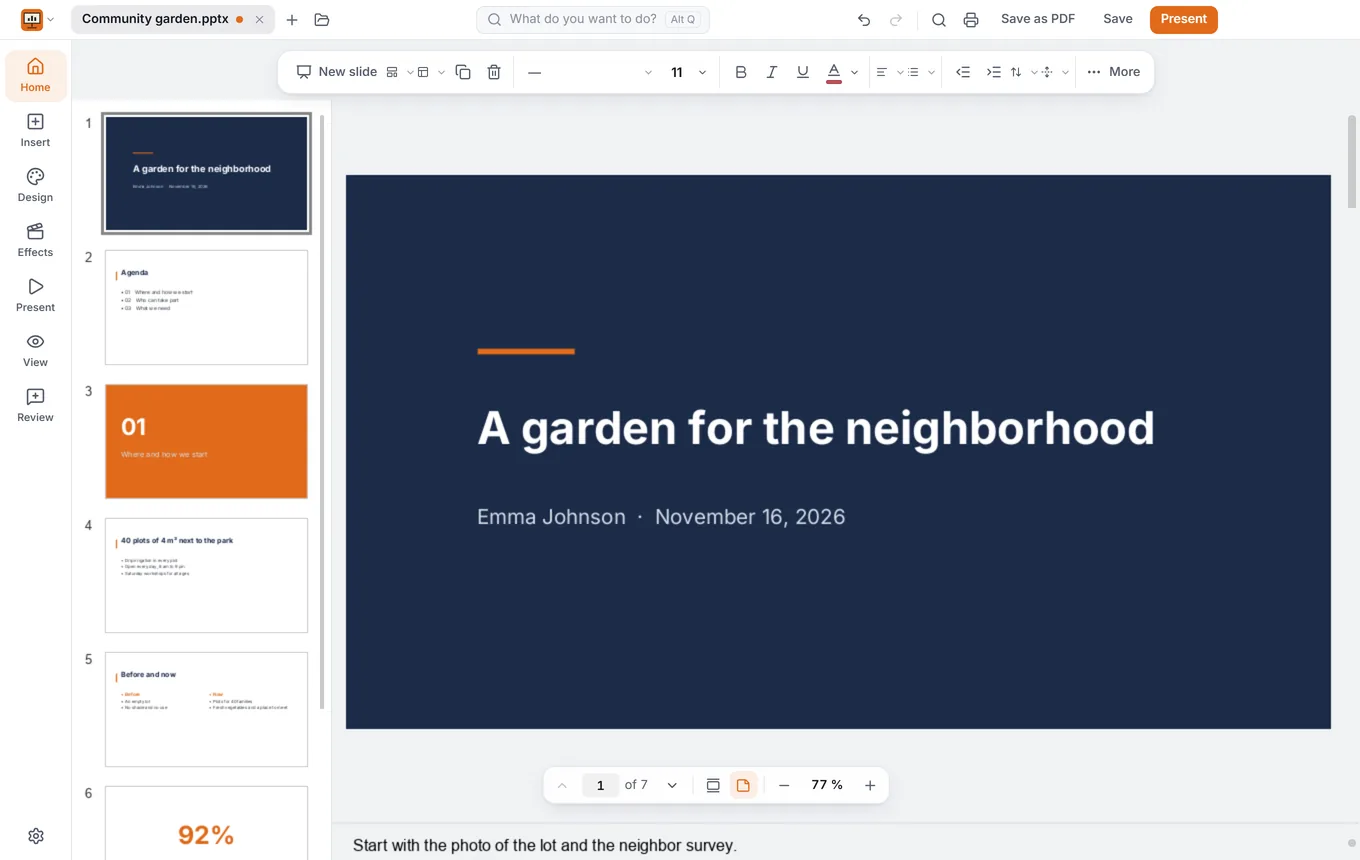
Your slides on the projector; on your laptop, the next one, your notes in large type and the clock.
-
At work
Monday’s meeting
A presentation that looks good and opens for people who use PowerPoint. Afterwards, a PDF to send round.
-
In the neighborhood
The community garden project
Photos, a video and a chart to win the neighbors over. And first, a rehearsal with the clock in front of you.
What it does
From the first slide to the applause
Presenter view
You see your notes and what’s next; the audience, just the slide.
Rehearse first
With the clock in front of you, so you know how long it takes.
Themes and layouts
Pick a theme and everything matches.
Transitions and animations
So everything comes in right on cue.
Video and audio
Inside the presentation, so nothing’s missing.
Open what people send you
PowerPoint presentations, and PDF in one click.
FAQ
What people usually ask about Molino Slides
Does it open the PowerPoint presentations people send me?
Yes: open them, change them and save them the same way. And turn them into PDFs in one click to send or print them.
Can I present with my notes, like on a real projector?
Yes, with the Presenter view: with a projector, the presentation goes on it and your laptop shows the current and next slide, your notes in large type and the clock. With a single screen, it’s for rehearsing.
Can I add video, audio and animations?
Yes: themes and layouts, transitions and animations, and video and audio inside the presentation, so nothing’s missing on the day you show it.
Fact sheet, for the curious
- Formats
- Opens and saves .pptx and .odp; saves as PDF and PDF/A
- Presenter view
- With two screens, the presentation on one and the current slide, the next one, the notes and a timer on the other; with one, for rehearsing
- Charts
- With editable data
- AI
- Optional and on your computer: prepares slides from a topic, writes speaker notes, rewrites and summarizes
- System
- Windows 10 and 11, 64-bit; comes in Molino Suite
- License
- AGPL-3.0; editing engine based on ONLYOFFICE

Your next presentation, free
Download Molino and make your first presentation. It comes with the other three sails: Docs, Sheets and PDF.
Download Molino free